
What is a delivery app and how does it work?
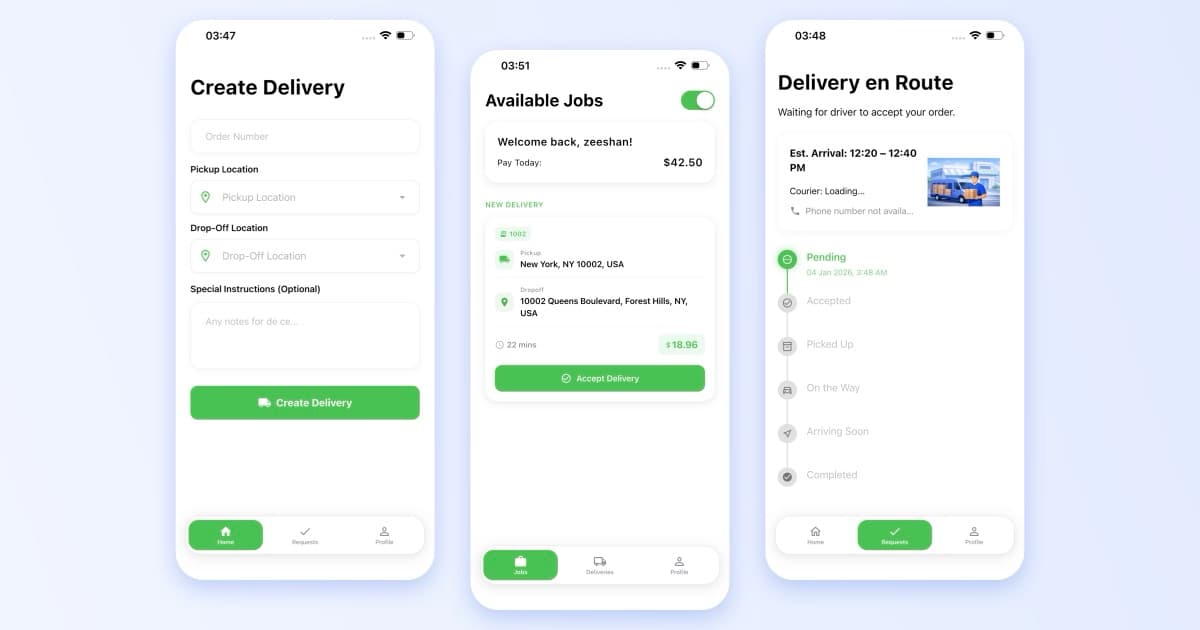
A delivery app lets a sender book a pickup, matches the job to a nearby driver, and shows both sides the same status until hand-over. The customer describes the package and destination, the server prices the trip, the driver accepts and is routed to pickup and drop-off, and every status change reaches all three screens.
If the customer app, the driver app and the admin board each hold their own version of a job, they will disagree. Bix Delivery, an on-demand courier service Sigi built for Post Marketplace Inc, models every delivery as a state machine on the backend. The apps only render the state the server reports, so a customer and a driver can never see two different versions of the same job. The states are fixed: created, driver assigned, picked up, in transit, delivered, and canceled.
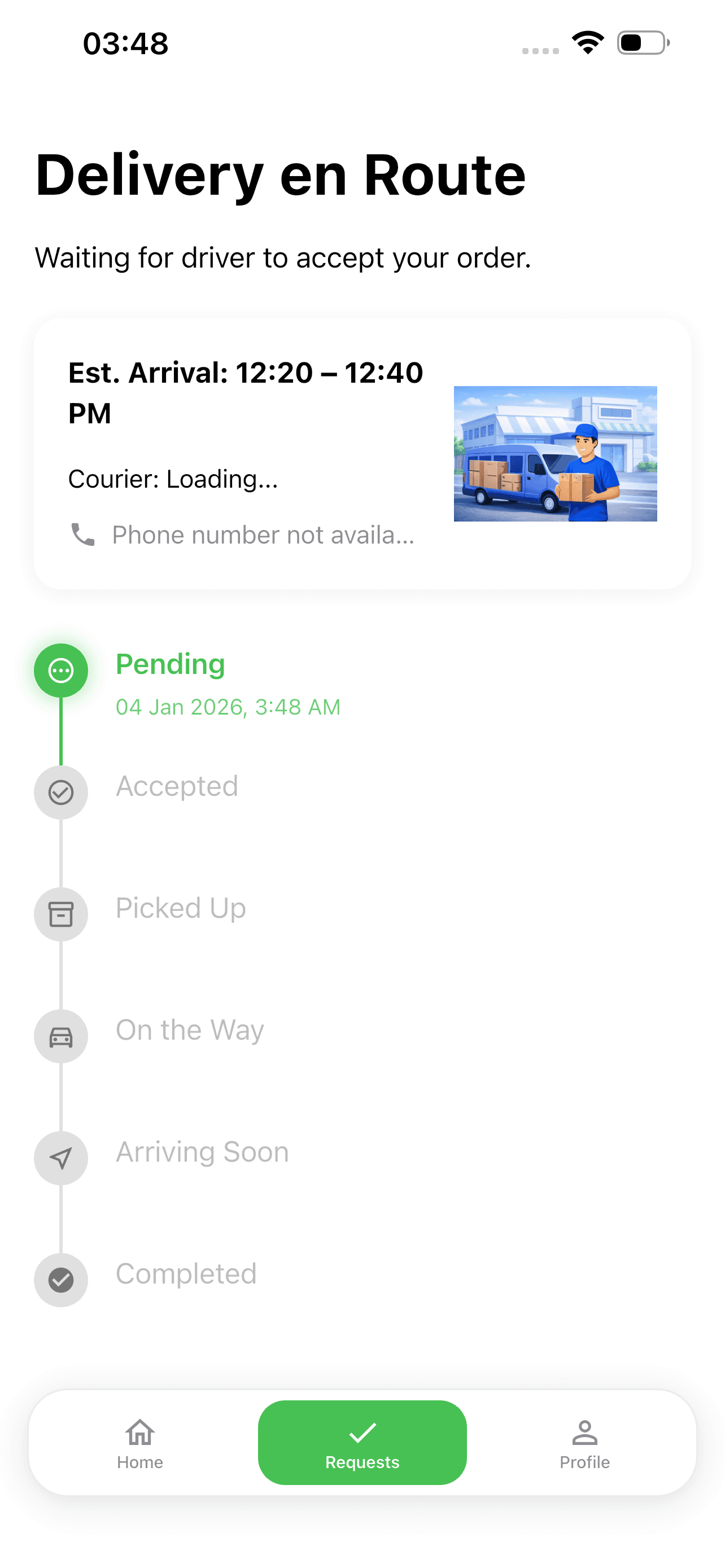
Customer app: one status timeline, rendered from the server state
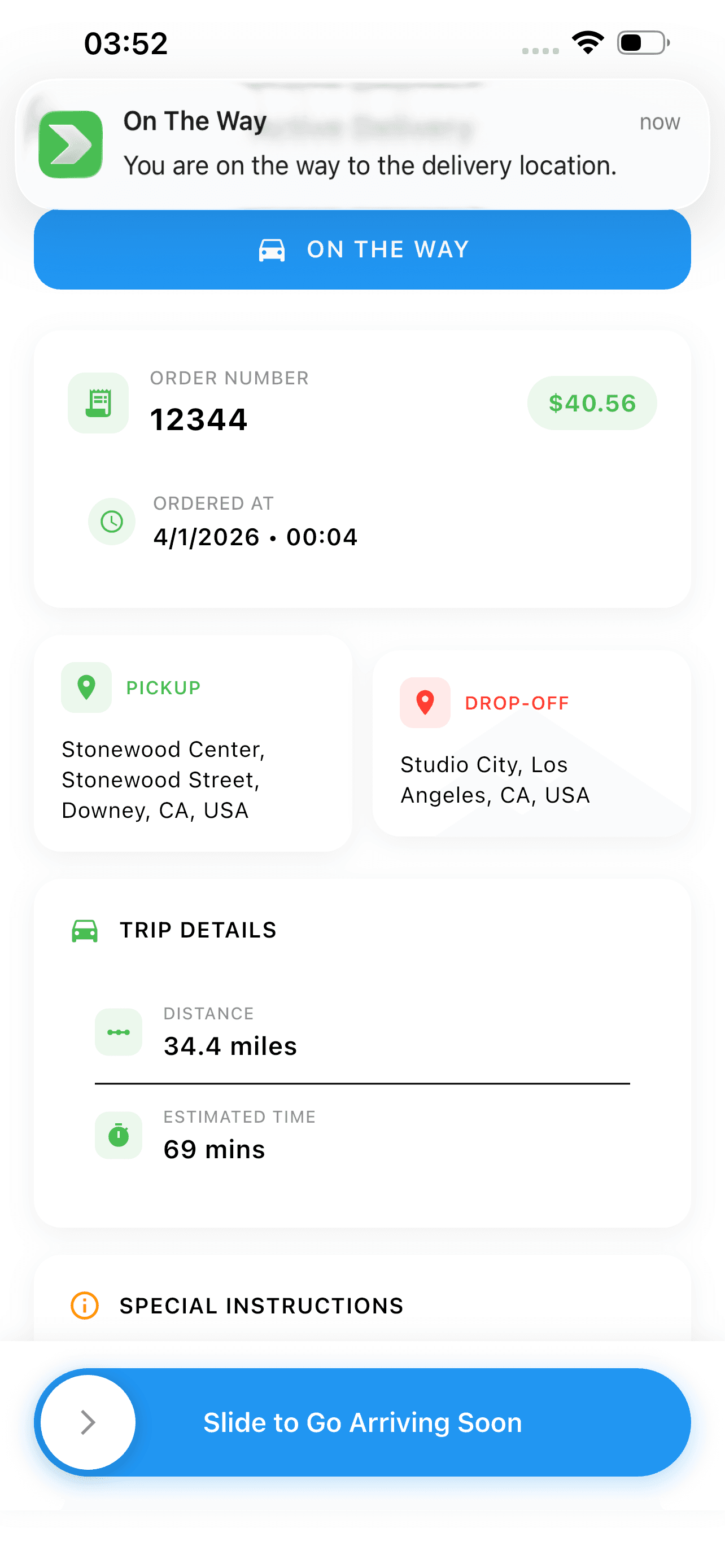
Driver app: the same job, one tap per status change
What features should a delivery app have?
Delivery app features split by user. Here is what a courier delivery app needs at launch, based on what shipped on Antrak and Bix.
Customer app
- Pickup and drop-off entry with address autocomplete, plus package size, weight and driver instructions.
- An instant quote before confirmation, computed on the server from distance and pricing rules.
- In-app card payment, charged only when the booking is confirmed.
- Real-time tracking of the assigned driver on a map, with push notifications at each status change.
- Delivery history and cancellation while a job is still open.
Driver app
- Sign-up with vehicle type, and a notification when the driver is approved.
- An online or offline toggle so drivers control when they receive job offers.
- A job feed showing pickup, drop-off and distance, with accept and decline actions.
- Navigation to pickup and then to drop-off, with one-tap status updates.
- An earnings view that totals completed deliveries.
Admin dashboard
- Pricing rules and service zones editable without a code release.
- Driver approval, suspension and profile management.
- A live dispatch board grouped by job state, with manual reassignment when a driver drops out.
- An exceptions view for jobs nobody accepted and drivers who went offline mid-delivery.
- Reporting on bookings, completed deliveries, revenue and driver activity.
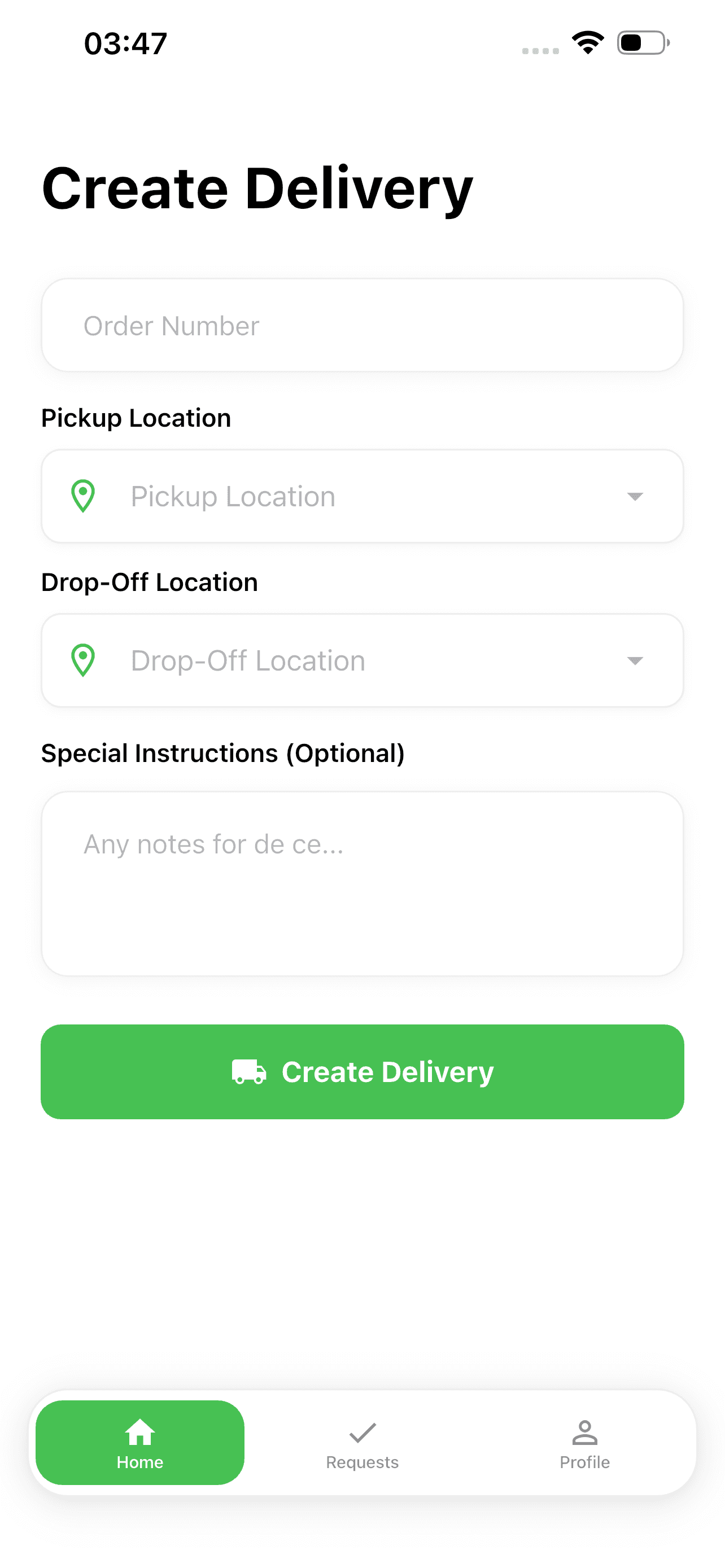
Customer: Create Delivery
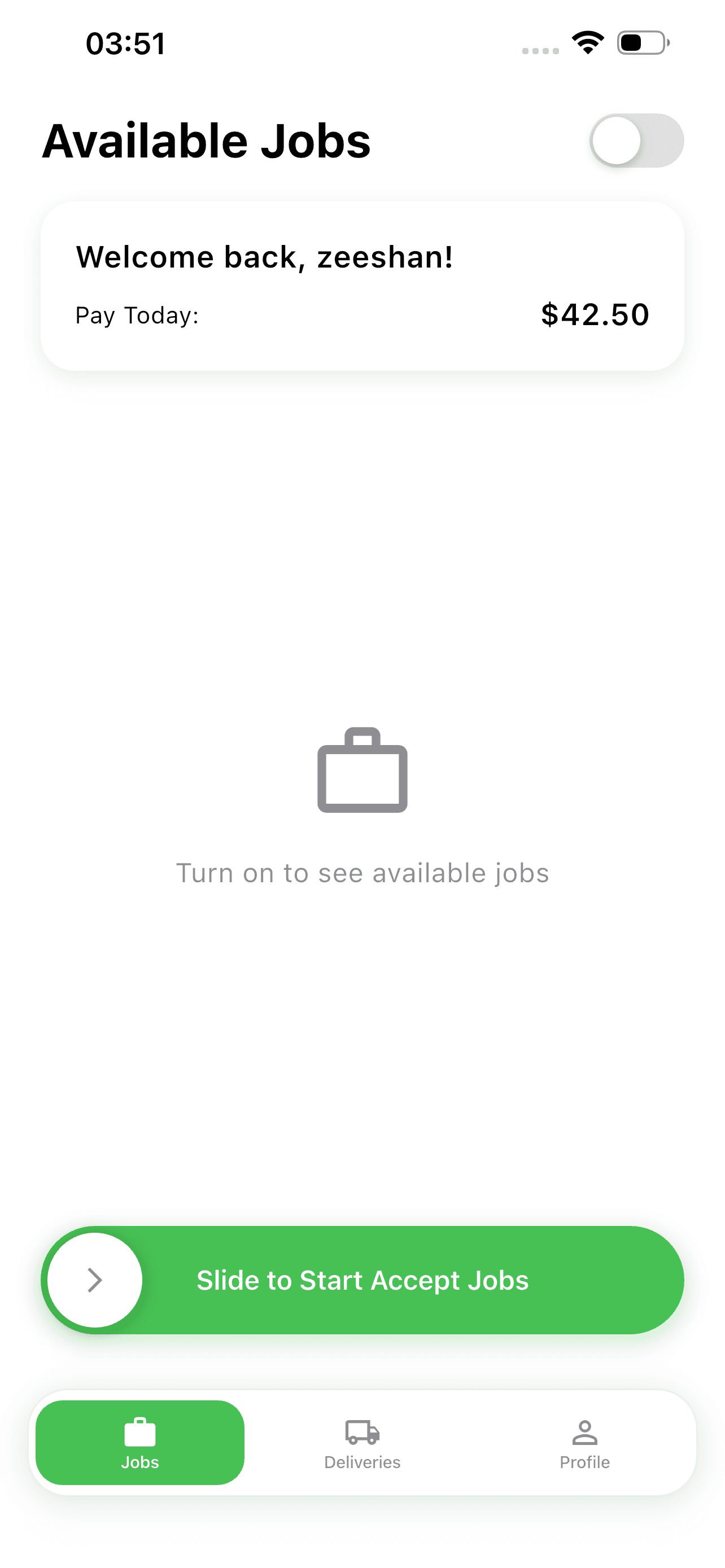
Driver: offline, no offers
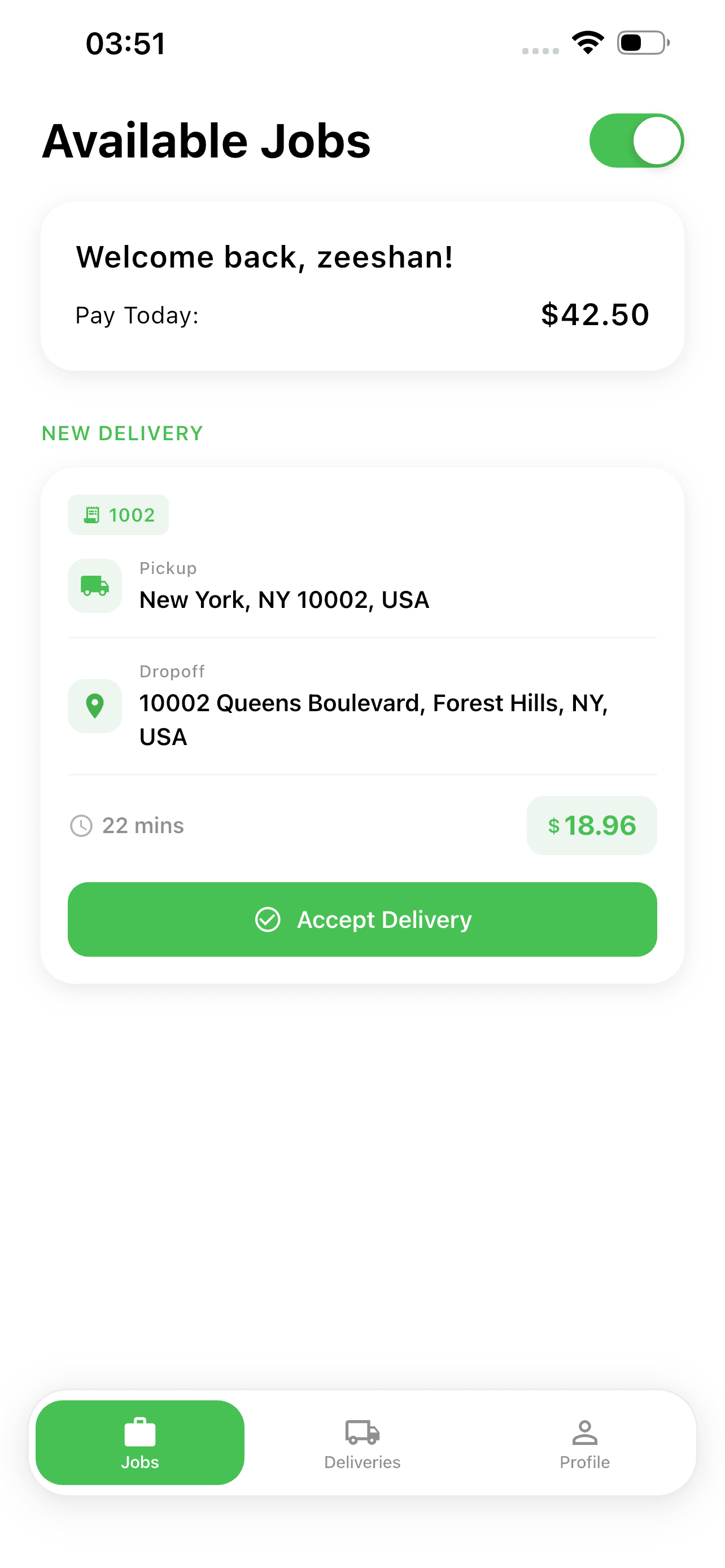
Driver: online, job offered
How does a delivery app assign drivers in real time?
Real-time dispatch follows one pattern: an event on the server, a push to the phones that need to know, and a state change on every open screen. Three questions decide the design:
- Who is eligible for a job? Drivers who are online and near the pickup, not everyone with the app installed.
- How is the job offered? As a push to eligible drivers, locked to the first to accept and withdrawn from the rest.
- What happens when nobody accepts? The job must stay in a queue an operator can act on.
On Bix, driver availability is an explicit online or offline toggle rather than an inferred signal. When a customer confirms, the backend offers the job by push only to drivers who have toggled themselves online and are near the pickup. The first to accept is locked to the delivery and the offer is withdrawn from everyone else. If nobody accepts, the job stays in the queue and the admin dashboard can assign it manually. Sigi kept this logic on the server rather than in either app, so the radius and timing could be tuned without shipping a new app version.
Pricing belongs on the server for the same reason. On both Antrak and Bix, distance and price are computed on the backend before the customer confirms, so the quote shown and the amount charged through Stripe are identical. On Antrak the pricing model is a set of admin-edited rules: size bands, weight bands, per-distance rates and zone adjustments.
What tech stack should you use for a delivery app?
A delivery app tech stack has five parts: a cross-platform mobile framework, a backend, a database that handles location queries, a real-time channel, and third-party services for maps and payments. Here is what Sigi used, and why.
- Mobile: Flutter for both apps, shipping to iOS and Android from shared code. On Antrak the map view, address entry and order timeline were written once. On Bix, one codebase meant one design system and one release cadence. See Flutter versus React Native before choosing.
- Backend: a Node.js API that owns bookings, pricing, dispatch and payouts. Antrak runs Node.js and Express on AWS EC2, provisioned with Terraform and wired to continuous integration and delivery pipelines.
- Database: MongoDB as the primary store. Its geospatial index drives the radius-based job feed on Antrak, and its document model suits delivery records that pick up fields through their lifecycle. Antrak adds Redis for short-lived state.
- Real time and push: Firebase Cloud Messaging for push notifications and driver presence on both platforms.
- Maps and money: the Google Maps API for autocomplete, distance-based quoting and turn-by-turn routing; Stripe for card payments.
Antrak’s stack was chosen so one team could own everything from the apps down to the servers. The Flutter apps and the Node.js API were built on parallel tracks against a shared contract for booking and job status, so neither track blocked the other. You do not need this exact stack, but you do need its properties: one codebase for two stores, server-side pricing and dispatch, a location-aware query, and a push channel.
How much does it cost to build a delivery app?
The cost to build a delivery app follows scope: how many surfaces launch together, whether both stores are day-one requirements, and how much dispatch and exception handling must be production-grade at launch. Sigi does not publish client invoices and does not attach a figure to Antrak or Bix. The ranges below are typical-scope planning estimates for a professional custom team, consistent with the bands in Sigi’s guide to how much it costs to build a mobile app.
$40k to $180k
Tier 1: single-city delivery app MVP. Customer app, driver app and basic admin, one codebase. Core flows sit at the low end; payments, both stores and a hardened admin push it up the band.
Source: Typical-scope planning estimate, not a client invoice
$150k to $350k+
Tier 2: multi-surface platform with real-time dispatch. Adds server-side driver assignment with offers and timeouts, live tracking, admin-editable pricing and zones, exceptions and reporting. The shape of Antrak and Bix.
Source: Typical-scope planning estimate, not a client invoice
Quoted from brief
Tier 3: enterprise platform with integrations. Tier 2 plus business accounts, order, warehouse or carrier integrations, multi-region pricing, proof of delivery workflows and compliance.
Source: Starts at the top of the tier 2 band
On timeline, guides ranking for this query commonly cite three to six months for an MVP. Treat that as a market figure, not a Sigi commitment. What Sigi can state from a shipped build: both Bix Delivery and Bix Driver reached the App Store in January 2026, customer cancellation shipped in version 1.1 in February and was extended in 1.2 in March, and driver-side cancellation handling landed in 1.1.1 in February.
How do you build a delivery app step by step?
Here is the build sequence Sigi follows for a courier or on-demand delivery app. Each step fixes decisions the next depends on.
- Discovery and flows for every user type. Write the customer, driver and operator journeys before any screen is designed.
- Define the delivery state machine. List the states and the events that move a job between them; push notifications and the dispatch board hang off it.
- Design the pricing rules and who can edit them. Put the evaluation on the server.
- Design the dispatch rules: eligibility, offer mechanism, acceptance lock, timeout, and the fallback when nobody accepts.
- Agree an API contract for booking and job status, then build the apps and the backend on parallel tracks against it.
- Build the customer app, then the driver app, then an admin that is internal and correct rather than a second consumer-grade product.
- Wire maps, payments and push. Test the unhappy paths: a customer cancels after booking, a driver goes offline mid-shift, a job nobody accepts.
- Provision infrastructure, set up the release pipeline, and take both apps through store review.
The Antrak engagement ran as discovery and flows for all three user types, then UI design, then parallel tracks for the Flutter apps and the Node.js API against a shared contract. The driver app went through Google Play review under Sigi’s developer account. On Bix, Sigi handled iOS and Android release, the AWS deployment and the Firebase configuration.
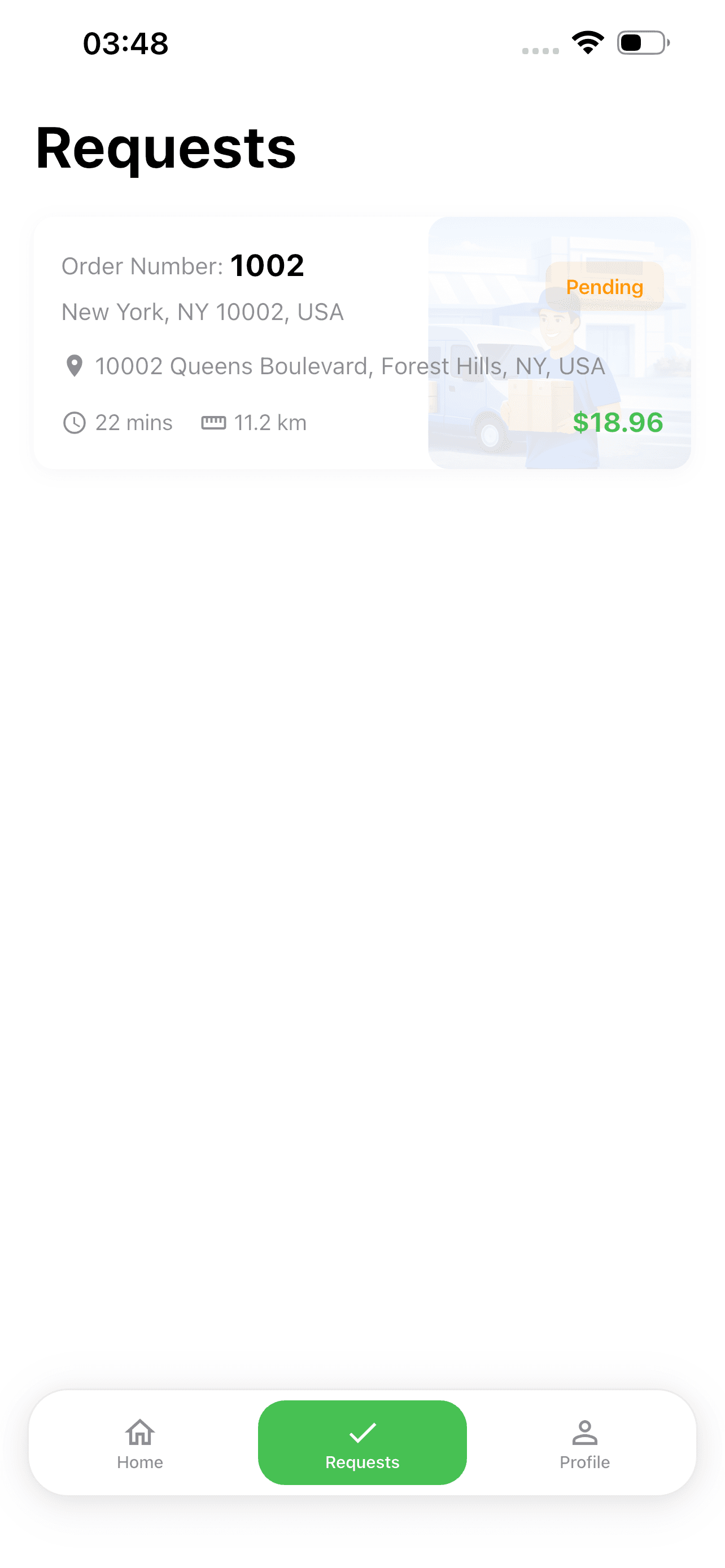
Customer: open requests
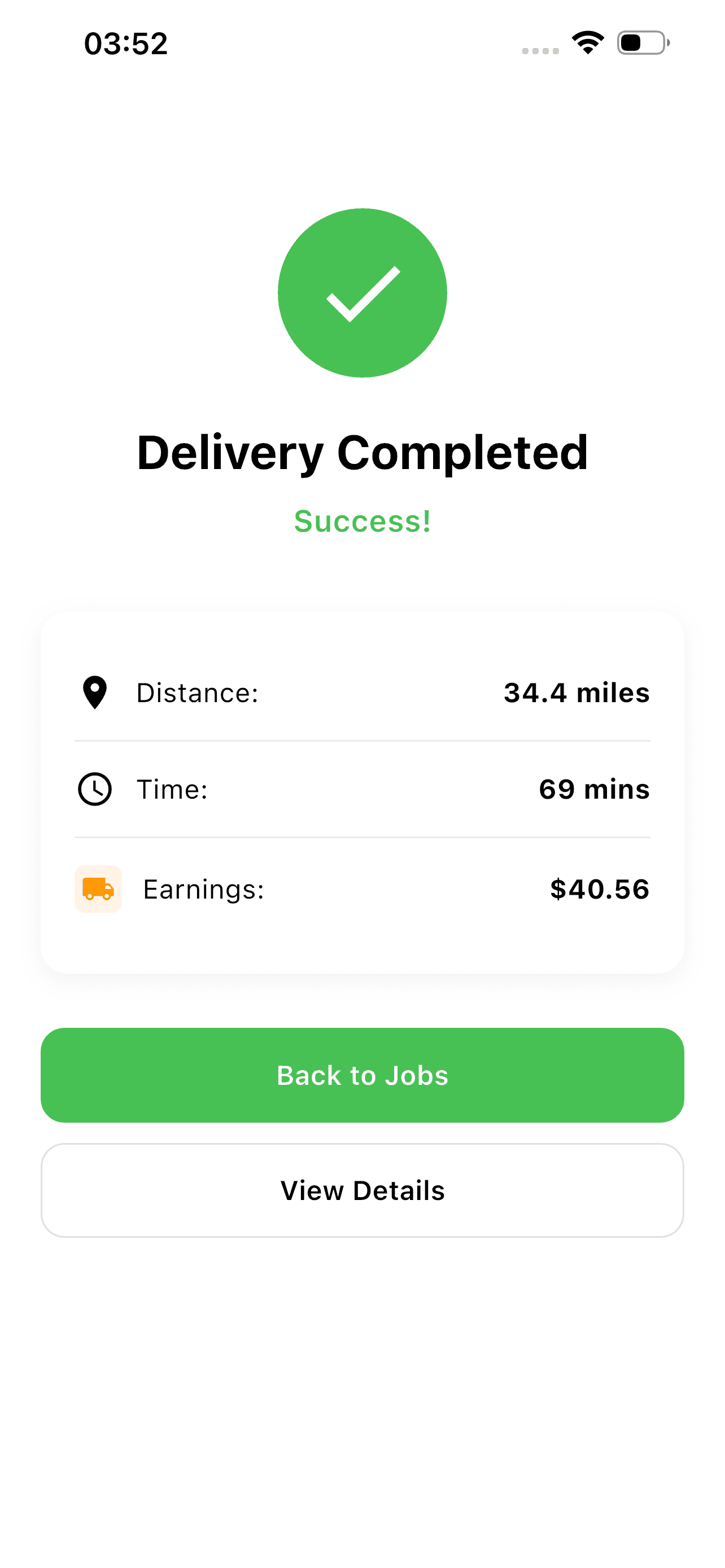
Driver: job completed, earnings recorded
Should you build a custom delivery app or use white-label delivery software?
White-label delivery software is a pre-built platform you rebrand. It fits when you are testing demand in one city, the vendor’s pricing and dispatch rules match yours, and you accept that the vendor owns the data model and roadmap.
Custom delivery app development is the right answer when the rules are the business. If quotes depend on your own size, weight and zone bands, or you need a radius or a timeout you can tune, a white-label product will fight you on each. Antrak and Bix were custom builds because their operators needed to change pricing bands, service zones and dispatch timing without a developer in the loop.
A reasonable path is to start white-label to validate demand, then commission a custom build once you know which rules you need to own.
Related reading
For the marketplace pattern behind every three-sided delivery product, read the guide to building a multi-vendor marketplace. The same customer, agent and admin shape applied to pickup and return is covered in how to build an on-demand laundry app. For the radius-based job feed in full, see the Antrak courier platform case study, and for driver assignment and the state machine, the Bix Delivery case study. If you are planning a courier, last-mile or dispatch product, see Sigi’s logistics software practice and mobile app development service.